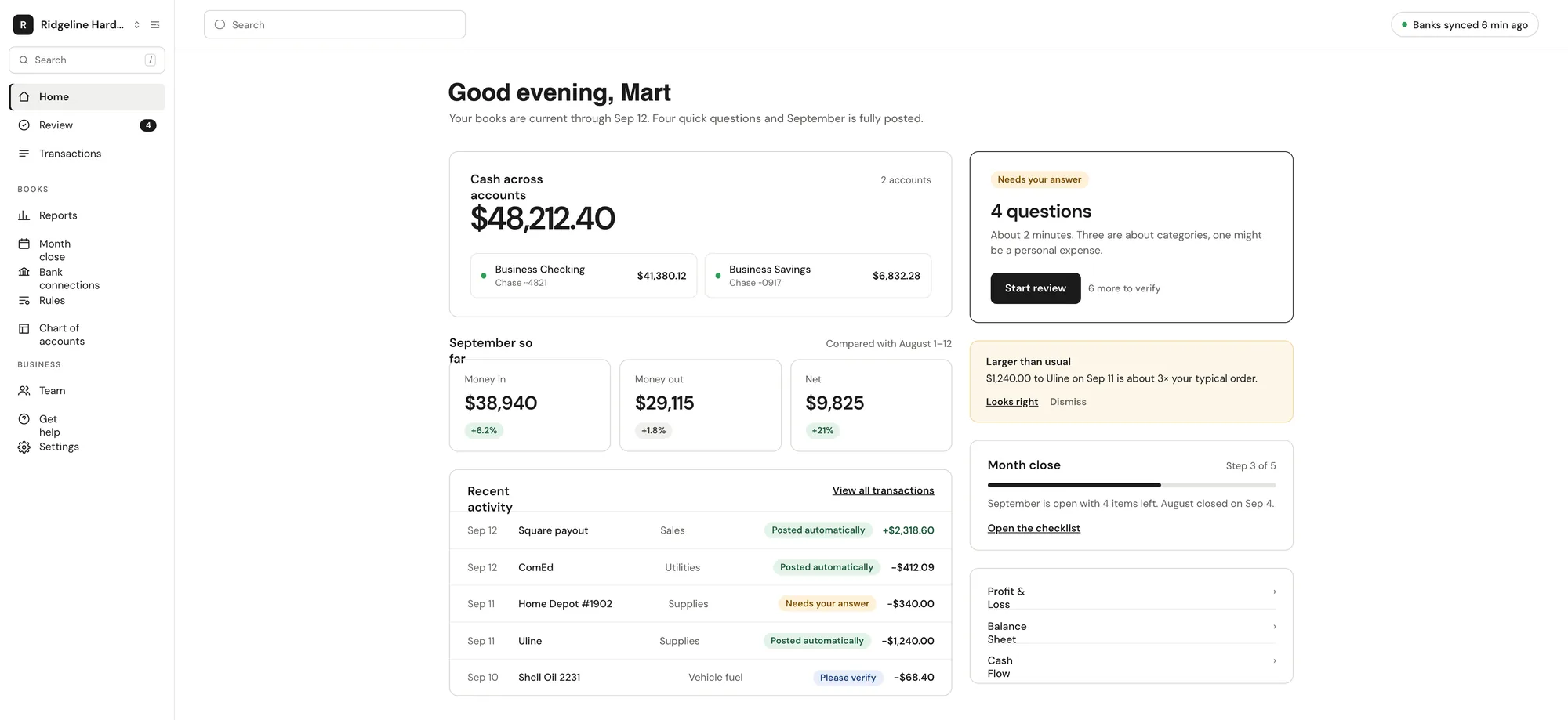
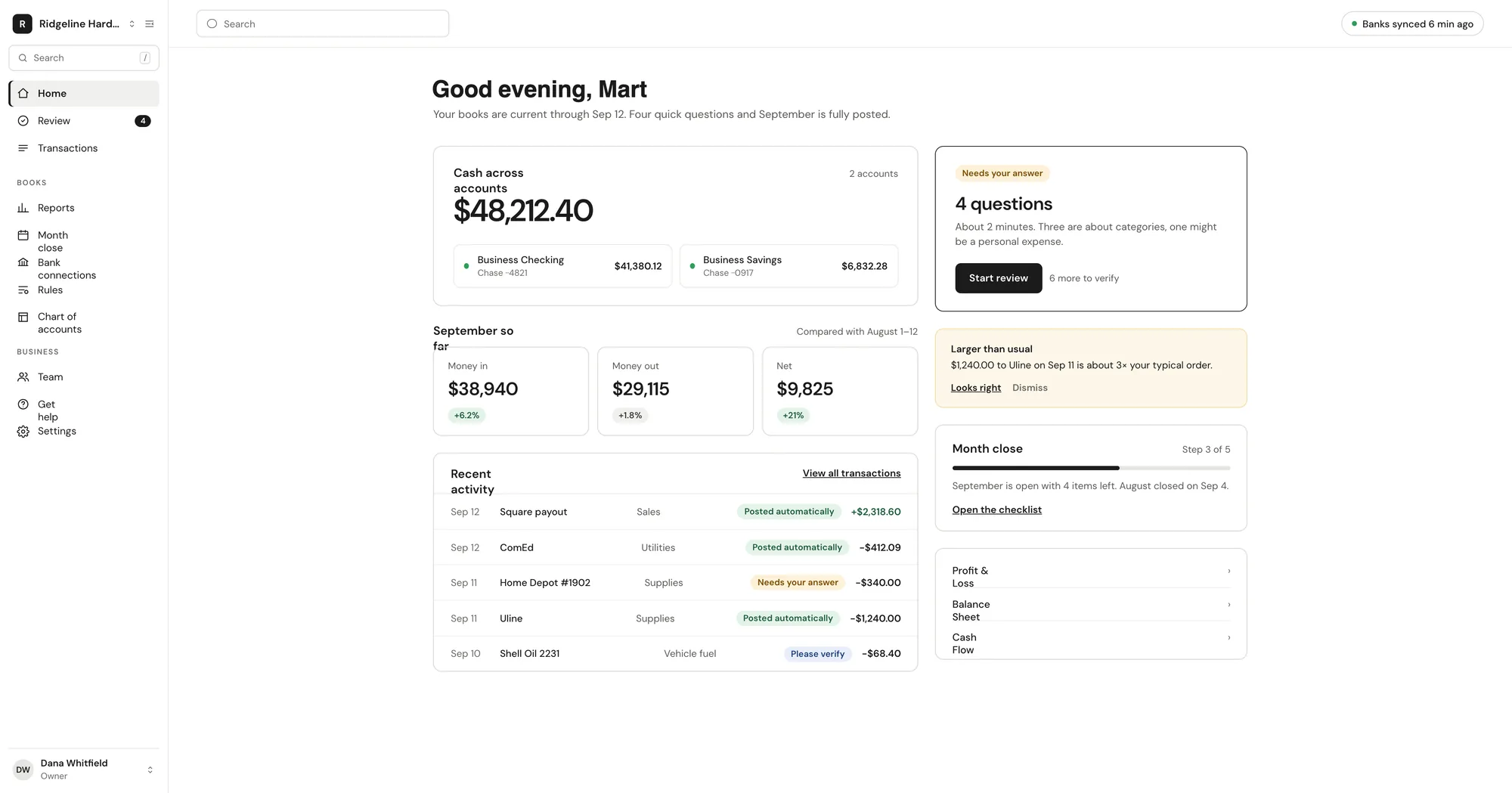
Vegawize reads every transaction, posts it to a real double-entry ledger and asks you a few plain-English questions a week. You answer in a tap and get books your accountant can work from.
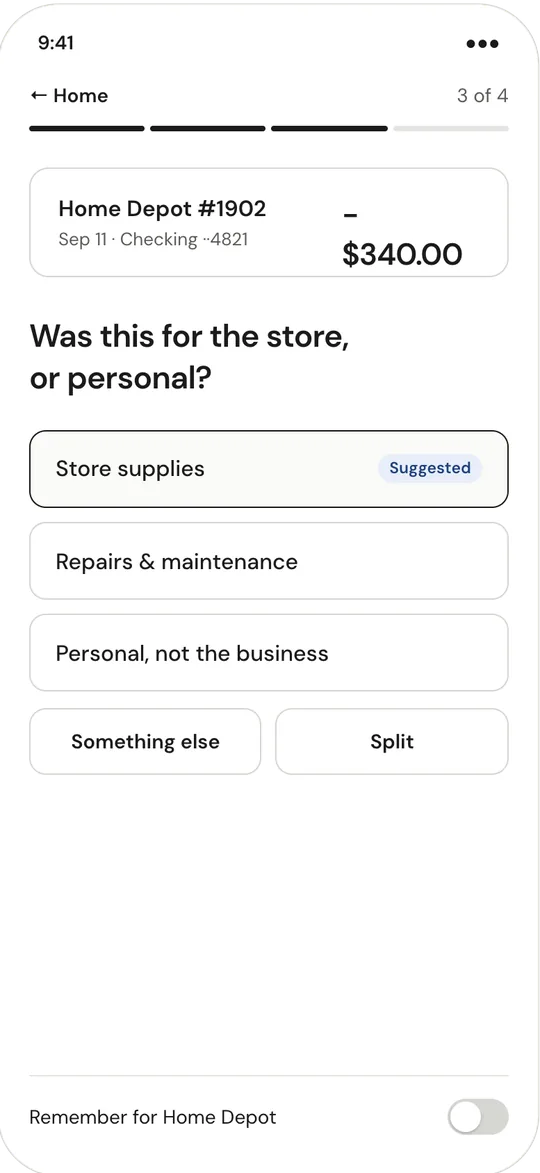
$340 at Northside Hardware — job materials or personal?
Job materialsPersonal
Remember this for Northside Hardware
How it works
Bookkeeping that keeps itself current.
Vegawize reads your bank activity every day and categorizes it in three layers: your rules first, then matches to answers you have already given, then AI. Confident items post on their own. Medium-confidence items post and land in a short verify list. Anything unclear becomes a plain-English question with suggested answers.
Connect your bank once. Transactions sync every day.
Answer a few questions a week. Tick Remember this and your answer becomes a rule for that merchant.
Close the month with a guided checklist, in a few minutes.
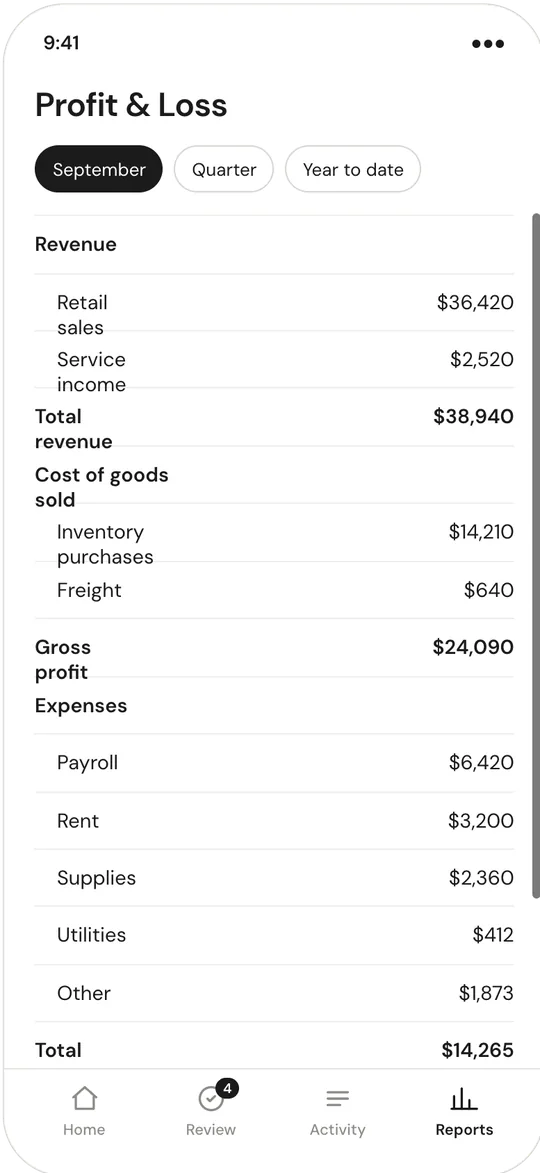
Everything your accountant needs, in the format they use.
Familiar Profit & Loss, Balance Sheet and Cash Flow layouts. Export to QuickBooks Online, QuickBooks Desktop (IIF), Xero, CSV and PDF any time. Invite your accountant free.
Invite your accountant free. They get the accountant workspace: one dashboard for every client, with open questions, broken bank connections and unreconciled accounts in view.
Reports, exports and the general ledger
Copy a rule from one client to any other
Admin and Bookkeeper roles, with a bookkeeper assigned to each client
Annual billing: 2 months free.A transaction is one line on a bank or card statement.
Questions? We've got answers.
Getting startedWhich banks can I connect?▼
Business checking, savings and credit cards at any US bank or credit union supported by Plaid. For an account without online banking, upload a CSV, OFX or QFX statement file instead.
Getting startedHow long does setup take?▼
About ten minutes: business details, connect your bank, pick how far back to import. Vegawize reads the history and gives you a chart of accounts and starter rules for your business type.
BookkeepingDo you do the bookkeeping for me?▼
Vegawize is software, not a bookkeeping service. It categorizes and reconciles automatically and asks you about anything unclear. There is no Vegawize bookkeeper working your books; you or your own accountant stay in control.
BookkeepingWhat if a category is wrong?▼
Change it in one tap. Every posting shows its reason. Tick Remember this and your answer becomes a rule for that merchant.
BookkeepingHow much work is it each week?▼
A few questions. Confident transactions post on their own, medium-confidence ones land in a short verify list, and the Monday digest lets you answer with one tap.
ReportsCan I move my data to QuickBooks or Xero?▼
Yes. Export to QuickBooks Online, QuickBooks Desktop (IIF), Xero, CSV and PDF any time. Export only; Vegawize does not import from or sync with QuickBooks.
GeneralCan my accountant log in?▼
Yes, free. They get the accountant workspace with reports, exports and the general ledger. Accountants get read-only access and can't change bank connections.
GeneralIs there a mobile app?▼
Vegawize runs in your phone's browser. There is no native iOS or Android app.
Do what you do best. We'll keep the books.
Three plans by monthly transaction volume, all with the same features.