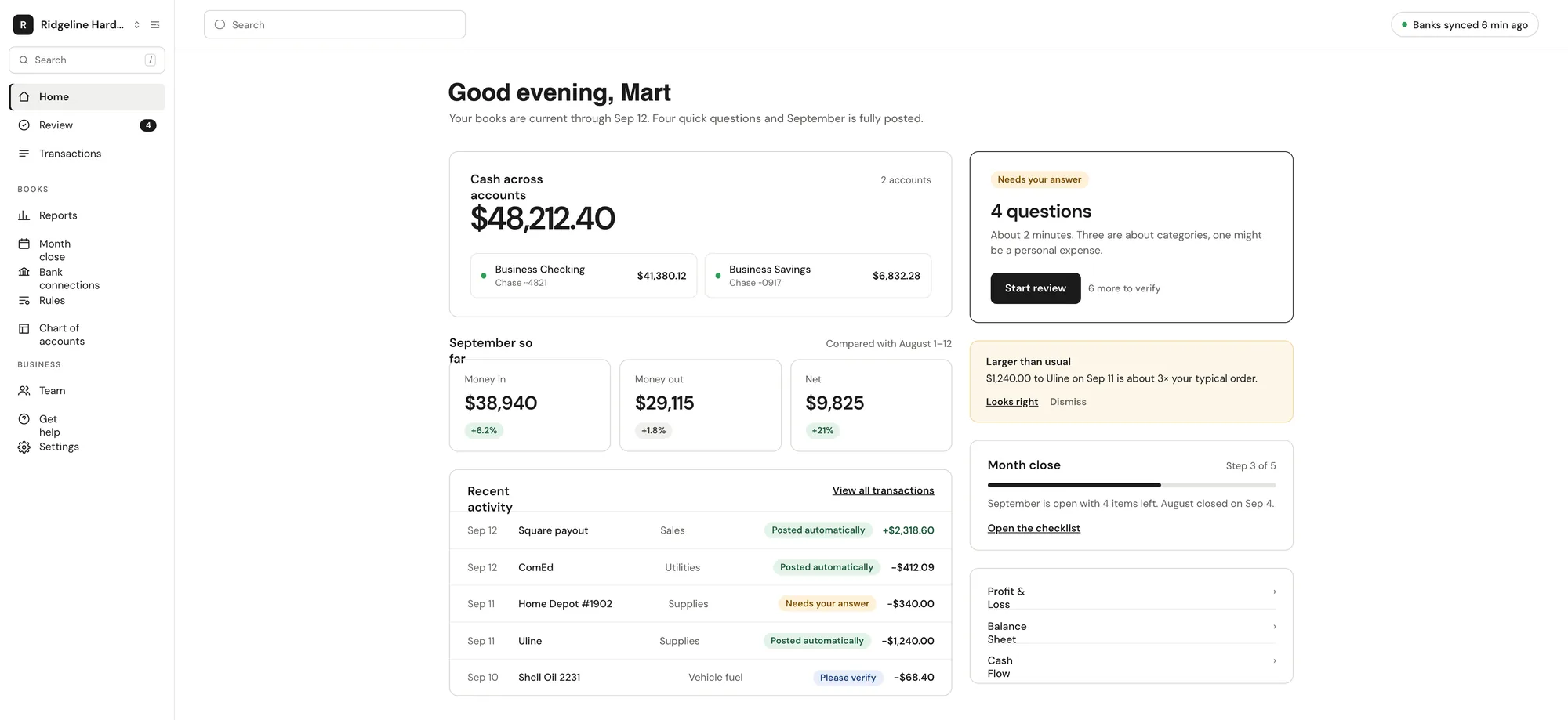
Vegawize covers the whole bookkeeping job: bank feeds, categorization into a real double-entry ledger, reconciliation, reports and a guided month close.
Three layers decide where a transaction goes: your rules first, then matches to answers you have already given, then AI. Each posting lands in a real double-entry ledger and explains itself in one sentence. Say "remember this for this merchant" and it never comes up again.
Bank feeds sync daily; you reconcile each account at month close.
Transfers between accounts matched, not double-counted
Split transactions, opening balances and unusual-activity alerts
A one-line reason on every posting
Sample data
Sep 12
Card processor payout
Sales · Fees
Posted · your rule+$2,318.60
Sep 12
City Power & Light
Utilities
Posted · past answer−$412.09
Sep 11
Northside Hardware
Store supplies
Verify−$340.00
Sep 11
Harbor Supply Co.
Inventory
Verify−$1,240.00
Sep 10
Fuel Stop #118
Vehicle fuel
Posted · AI−$68.40
Questions
A few questions a week. One tap each.
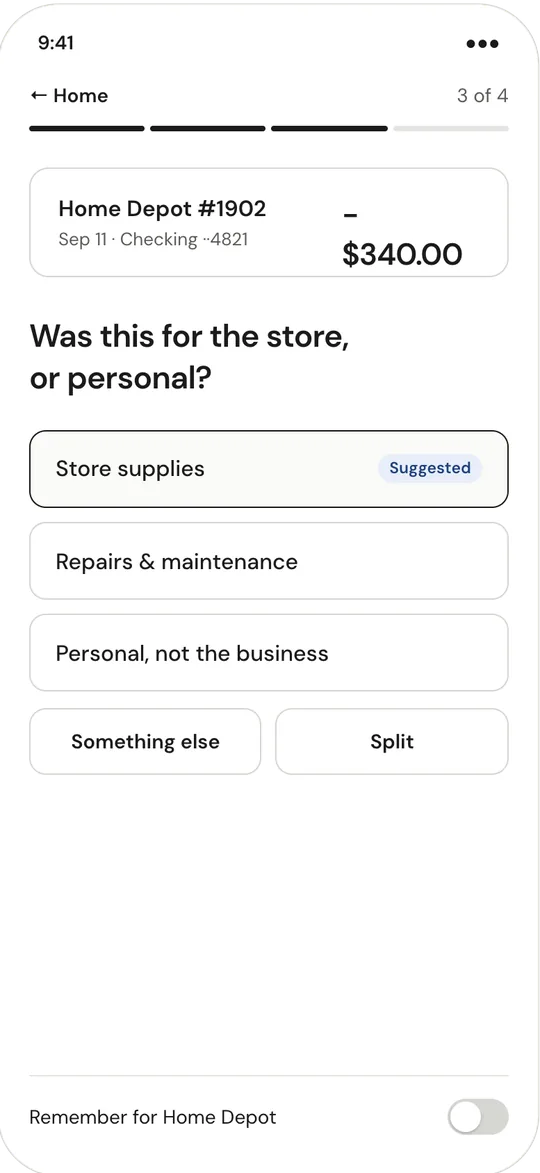
Anything Vegawize cannot place becomes a plain-English question with suggested answers. Medium-confidence postings land in a short verify list instead, so your books stay current while you decide.
Plain-English questions with suggested answers
A short verify list, not a backlog
Tick Remember this and your answer becomes a rule for that merchant.
Weekly digest every Monday with one-tap answers
This week · 3 questions
Sample data
$340 at Northside Hardware — job materials or personal?
Sep 11 · Card ··4821
Job materialsPersonal
Remember this for this merchant
$5,000 transfer from J. Rivera — what was this?
Sep 9 · Checking ··4821
Customer depositOwner fundsLoan
Remember this for this merchant
$1,240 at Harbor Supply Co. is 3× your usual order.
Posted as Inventory · verify
Looks rightRecategorize
Remember this for this merchant
Reports
The reports your accountant asks for. Already done.
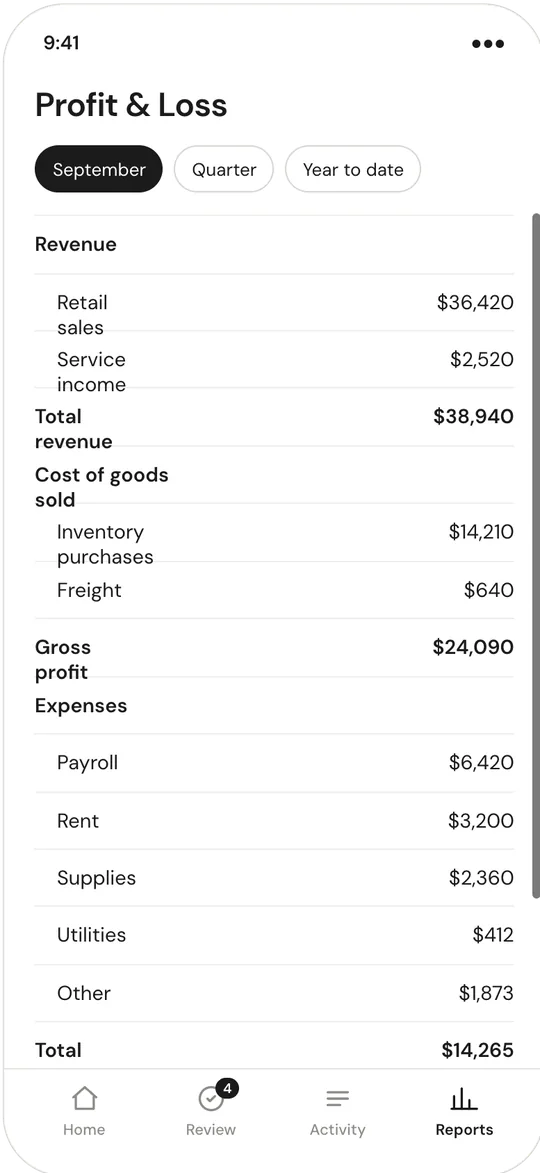
Profit & Loss, Balance Sheet and Cash Flow in standard layouts, current to the last bank sync. Compare months, drill into any line, export in the format your accountant uses.
Profit & Loss, Balance Sheet, Cash Flow and the general ledger
Month-over-month and year-over-year comparison
Export to QuickBooks Online, QuickBooks Desktop (IIF), Xero, CSV and PDF
Invite your accountant free, with read-only access
Profit & LossAug 2026
Sales$61,240
Cost of goods−$27,318
Gross profit$33,922
Operating expenses−$21,105
Net income$12,817
PPDF
QQuickBooks Online
CCSV
Month close
Close the month in a few minutes.
A guided checklist walks you through each account: reconcile, clear the verify list, confirm transfers, then lock the period. Locked months keep a full change history.
Reconciliation per account, per month
Guided checklist that knows what is left
Locked periods with a full change history
August 2026 closeLocked Sep 4
Business Checking reconciled · 212 transactions
Business Savings reconciled · 4 transactions
Business Card reconciled · 61 transactions
Verify list cleared · 7 items
Period locked
Sample data. Reports for a closed month are final until you reopen it, and every change is recorded.
Mobile
Your books in your pocket.
Cash across accounts, this month so far, and this week's questions. Vegawize runs in your phone's browser, so there is nothing to install.
Runs in your phone's browser; no app to install
Cash, Profit & Loss and Balance Sheet on your phone
Answer questions from the weekly digest email
Answer a question in one tap, wherever you are
Team & access
The right people see the right things.
Invite your accountant to pull reports and your partner to see everything. Accountants get read-only access and can't change bank connections.
Owner, Staff and Accountant roles
Accountants join free with reports, exports and the ledger
Every change is recorded.
Two-factor authentication, required before you connect a bank.