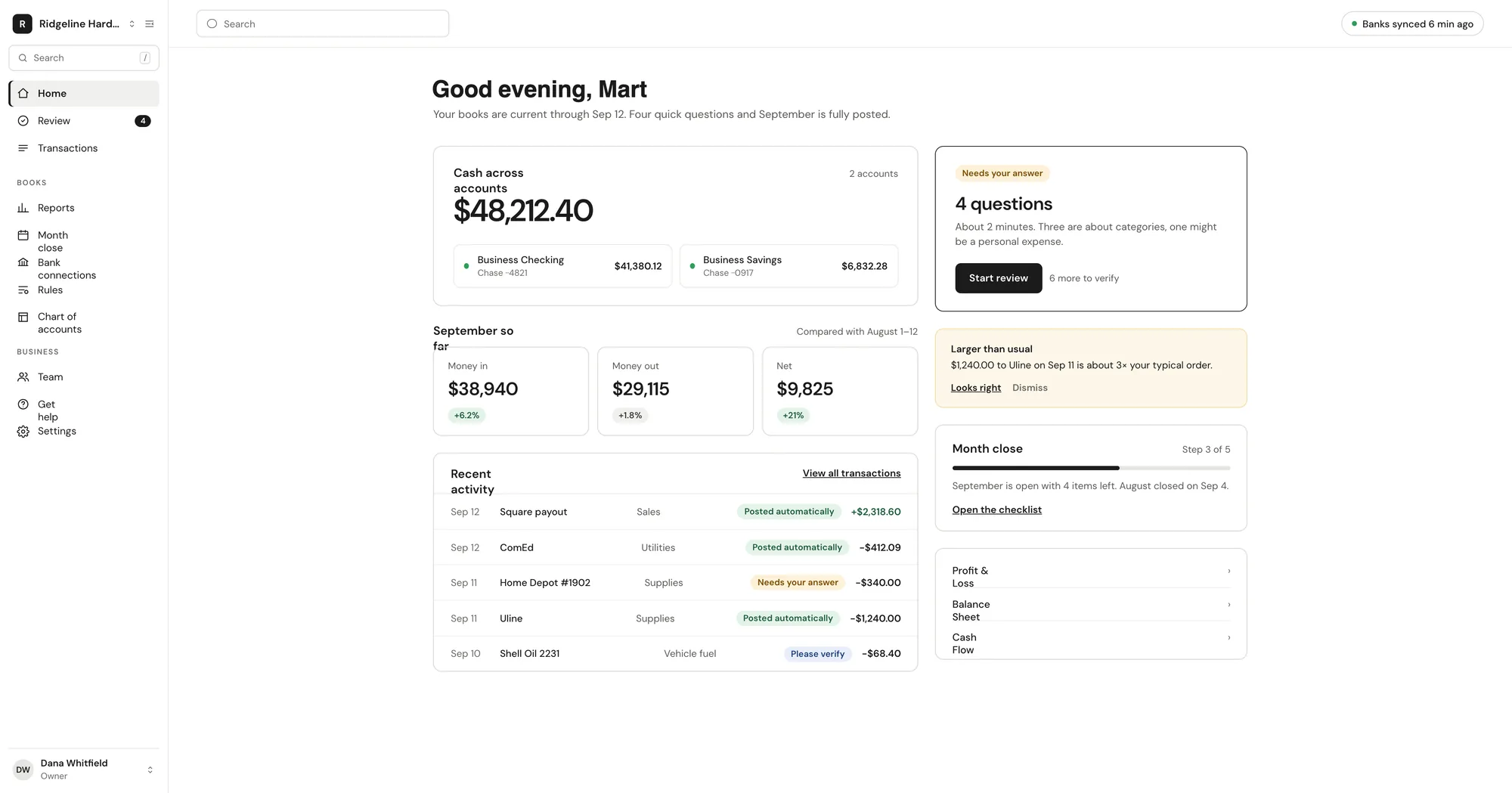
From there Vegawize reads every transaction, posts it to a real double-entry ledger with a reason, and asks you about anything it cannot place. You answer in a tap, close the month with a guided checklist, and your books are ready for your accountant.
Reads and categorizes every transaction, every day
Your rules first, then matches to answers you have already given, then AI. Every posting carries a one-line reason.
YOU DO
Answer a few questions and close the month
Plain-English questions with suggested answers, a short verify list, and a guided checklist at month end.
YOUR ACCOUNTANT CAN
Work in the same books, free
Reports, exports and the general ledger through the accountant workspace. Accountants get read-only access and can't change bank connections.
01Connect
Link your accounts in about a minute.
Pick your bank from the institutions supported by Plaid. Import up to 24 months of history. Vegawize never sees your bank password and access is read-only.
Checking, savings and credit cards
CSV, OFX or QFX statement files for accounts without online banking
Opening balances for every account
Ridgeline Hardware · Accounts
Sample data
C
Chase Business Checking
··4821 · synced 6 min ago
Connected
C
Chase Business Savings
··0917 · synced 6 min ago
Connected
A
Amex Business Gold
··3009 · importing 18 months
Syncing…
S
02AI posts
Every transaction posted, with a reason.
Vegawize checks your rules, then the answers you have already given, then AI. It posts the transaction to a real double-entry ledger and writes down why. Transfers between accounts are matched instead of double-counted.
Confident items post automatically
Medium-confidence items post and appear in a verify list
Splits across categories, and unusual activity flagged
Sample data
Card processor payoutPosted automatically
$2,318.60 split into Sales and Processing fees, following the rule you set for this payout in July.
Matched your rule
03You close
Close the month with a guided checklist.
Work the verify list when it suits you: unusual amounts, new vendors and anything Vegawize could not place. At month end the checklist walks you through reconciliation and transfers, then locks the month.
Plain-English questions with suggested answers
Reconciliation per account, every month
Closed months lock; full history kept
Verify list · Ridgeline Hardware
Sample data
Harbor Supply Co. · $1,240.00Verify
3× the usual order. Posted as Inventory — tap to confirm or recategorize.
Transfer from J. Rivera · $5,000.00Question
New payer. Customer deposit, owner contribution or a loan?
Ten minutes. Business details, bank connection, how far back to import.
Day 1
History imported
Your history is imported and posted within about an hour, with a chart of accounts and starter rules for your business type.
Week 1
First digest
Monday morning: cash across accounts, money in and out, questions you can answer in one tap.
Day 30
First month closed
Run the checklist, reconcile each account and lock the month. Reports are ready to export.
Security
Your bank data stays your bank data.
1Read-only bank access through Plaid; we never see your bank password.
2Encrypted in transit and at rest, with nightly encrypted backups.
3Two-factor authentication required before connecting a bank.
4We never sell your data.
Common questions about the process
How long does setup take?▼
About ten minutes: business details, connect your bank, pick how far back to import. Vegawize posts your history and sets up a chart of accounts and starter rules for your business type.
Do you do the bookkeeping for me?▼
No. Vegawize is software. It categorizes, reconciles and prepares your reports, and asks you about anything it cannot place. There is no Vegawize bookkeeper on your books; you or your own accountant stay in control.
How much work is it each week?▼
A few questions. Confident transactions post on their own, medium-confidence ones land in a short verify list, and the Monday digest lets you answer with one tap.
What if a category is wrong?▼
Change it in one tap. Every posting shows its reason. Tick Remember this and your answer becomes a rule for that merchant.
What if my bank is not supported?▼
Upload a CSV, OFX or QFX statement file instead. The account is categorized and reconciled the same way.
Can I leave with my data?▼
Any time. Export to QuickBooks Online, QuickBooks Desktop (IIF), Xero, CSV and PDF and disconnect your banks in one click.
Get started
Ready to connect your bank?
Three plans by monthly transaction volume, all with the same features.